July 13th, 2026 at 4:00 PM
YouTube MarketingThis Pikzels Review is all about one thing: making thumbnails faster without turning the process into a design headache. If you create content regularly, you already know thumbnails can eat up a ridiculous amount of time. Sometimes the video is done, the title is done, and then the thumbnail becomes the bottleneck.
That is exactly where Pikzels stands out for me. It is an AI thumbnail generator built with YouTube creators in mind, and after spending real time inside the platform, I can say this is one of the easier tools to use if you want speed, consistency, and a cleaner workflow. It is especially strong when you want to recreate a proven thumbnail style, keep branding tight, or generate simple visual ideas from short prompts.
In this Pikzels Review, I am breaking down how it works, what I like, what feels quirky, how pricing stacks up, and who I think this tool is best for.
Pikzels is an AI thumbnail generator made for YouTubers and content creators. The platform positions itself as a fast way to create scroll stopping thumbnails and titles in seconds, and honestly, that pitch makes sense once you get inside the dashboard.
The idea is simple. You either give it a prompt, upload an example image, or combine both. From there, Pikzels generates thumbnail concepts that are tailored toward the kind of bold packaging styles that perform well on YouTube.
One of the big selling points is that the system is trained around viral thumbnail patterns. That does not mean every image it creates is perfect out of the gate. AI still needs supervision. But it does mean the software is trying to produce packaging that feels more native to YouTube instead of generic AI art.
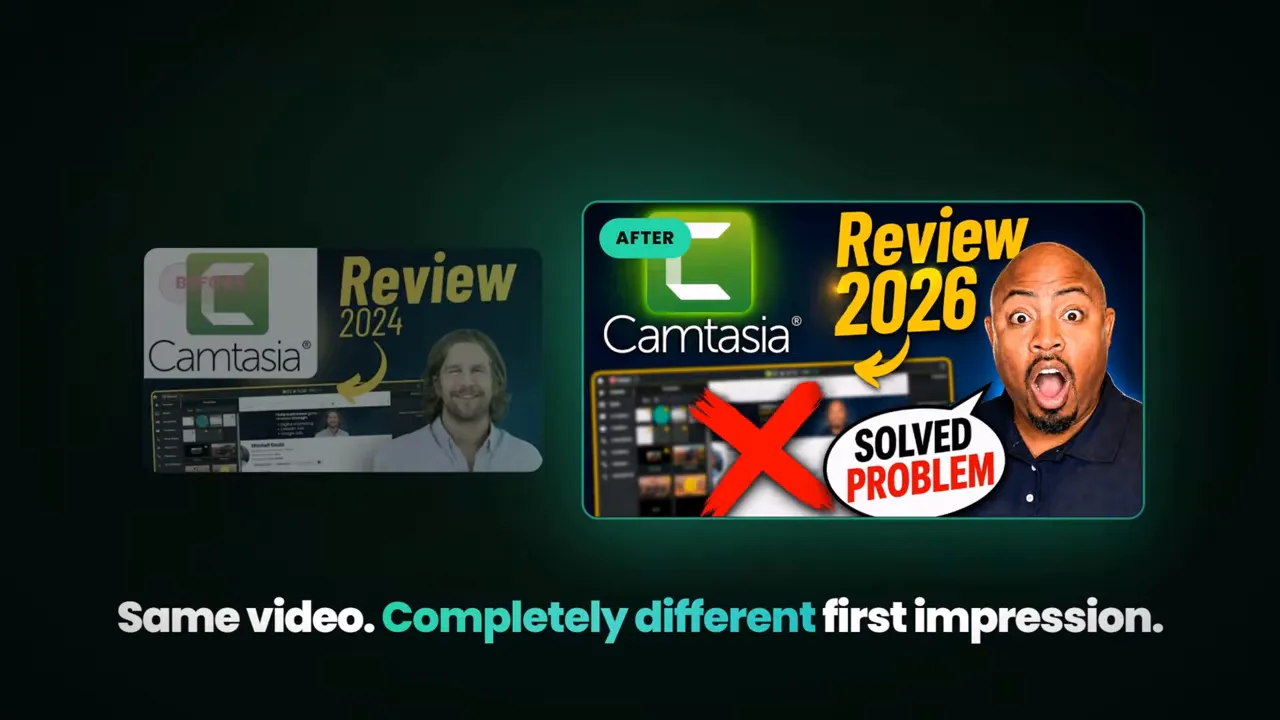
My first impression is that Pikzels feels focused. It does not try to be a giant all in one design suite. It feels more like a purpose built thumbnail machine.
That focus matters.
There are plenty of tools that can technically create graphics, but YouTube thumbnails are a different animal. They need contrast, clarity, emotion, readable text, and a strong visual hook. Pikzels is clearly designed around that use case.
I have had this software for a long time, and one reason I keep it around is because it is easy to work with when I want quick results. I also like that it helps me stay consistent when I am trying to maintain a recognizable look across a channel.
If thumbnails are slowing down your publishing process, this kind of tool can help remove friction. If you are also trying to tighten your entire production system, my post on YouTube workflow pairs really well with what Pikzels is trying to solve.
Pikzels keeps pricing fairly simple.
Premium: $40 per month for up to 150 thumbnails
Ultimate: $80 per month for up to 450 thumbnails
That straightforward pricing is nice, but there is an important detail. Pikzels runs on credits, and some actions eat up more credits than others. Personas in particular can take a noticeable bite out of your balance when you first set them up.
So when I look at pricing, I do not just think about the monthly number. I think about how often I am generating, whether I am testing lots of concepts, and how much experimentation I plan to do.
If you create thumbnails often for one or multiple channels, the value can be there. If you only upload occasionally, the monthly subscription may feel steep unless speed is your biggest pain point.
|
Inside the dashboard, Pikzels gives you a few useful controls without making the interface feel cluttered.
Prompt based generation
Persona support
Style selection
Model selection, including 4.5
Format options for long form and short form
Image upload for recreation
Multiple output variations
One click fixes and enhancement tools
This is one of the stronger parts of the platform. I can move from a simple idea to a generated thumbnail pretty quickly, and I do not need a long setup process every single time.
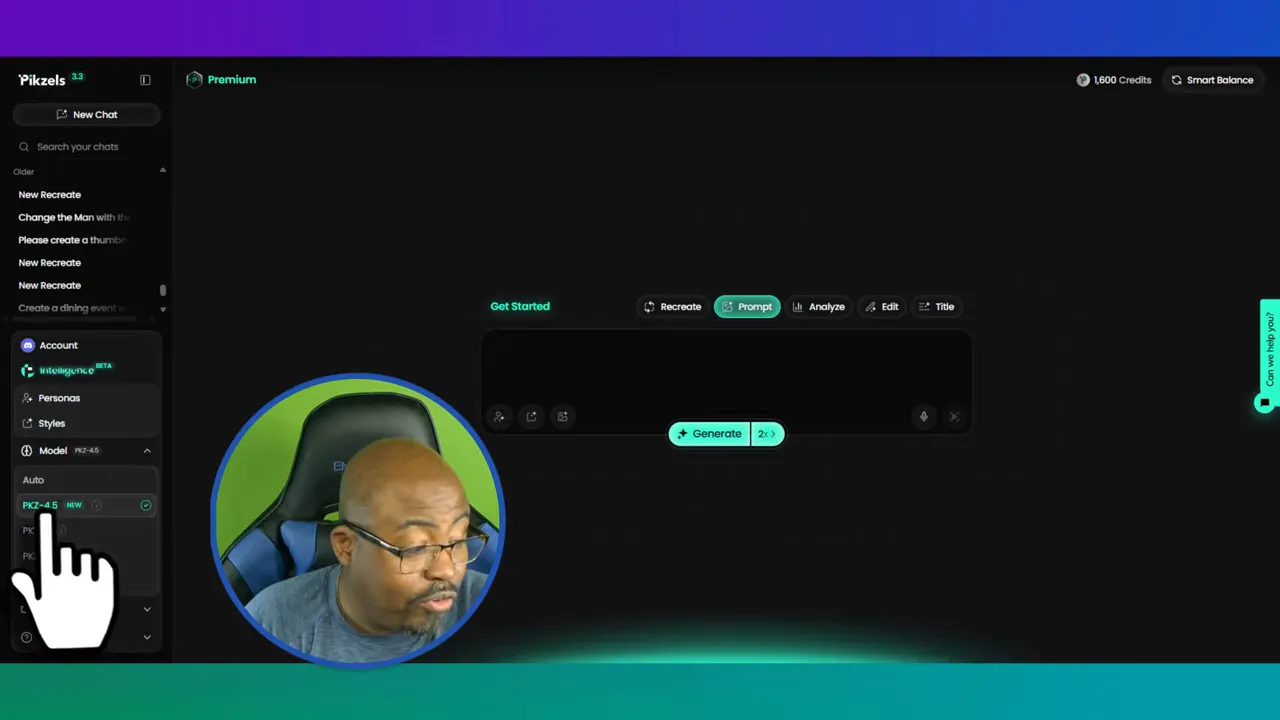
Personas are useful if you want consistency across your thumbnails. If you are building a personal brand or trying to keep the same face, mood, and packaging style from one upload to the next, personas can help with that.
The tradeoff is that they consume credits, especially at the start. So I would not burn through personas casually unless I know I am going to use them repeatedly.
You can set or choose styles that match the type of thumbnails you like. That is helpful if you already know the visual direction of your channel. If your brand leans bold, minimal, dramatic, or text heavy, style options can help keep things on track.
Pikzels also gives you different models, including version 4.5, plus format choices for long form and short form. That means you are not locked into classic YouTube thumbnails only. If you need visuals for TikTok or Instagram style content, the platform can support that workflow too.
If I had to point to the biggest strength in this Pikzels Review, it would be recreation.
Pikzels is one of the better thumbnail duplicators I have used, especially when I feed it a simple prompt or an existing image as inspiration. That does not mean I think people should blindly copy other creators. I do not.
My approach is different.
If I see a thumbnail structure that works, I want to study the pattern and improve it for my own brand. I might change the framing, adjust text, add a silhouette, improve contrast, or highlight the face more clearly. That is a smarter use of AI than just cloning somebody else’s packaging.
In my test, I pulled an example thumbnail from YouTube, dragged it into Pikzels, selected my persona, and added a simple instruction to remove the old site URL and replace it with my own. That process was easy. Drag, drop, prompt, generate.
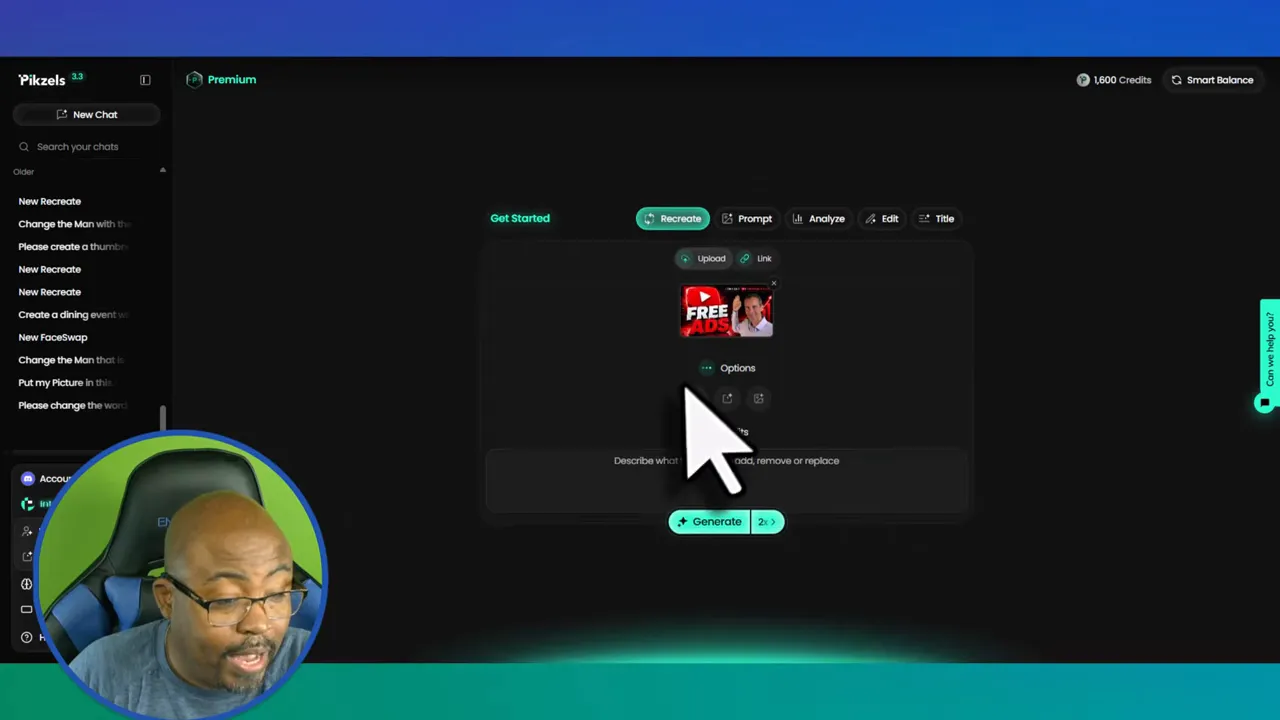
That simplicity is a major reason I like the software.
Pikzels lets you generate 1, 2, 4, 8, or even 16 versions of a thumbnail. On paper, that sounds great. More options should mean more creative flexibility.
But here is where I have to keep it real.
Sometimes multiple outputs do not feel all that different. In one of my tests, I asked for four versions and did not really get four meaningfully distinct results. That is one of the quirks of AI tools in general. You spend credits expecting variety, and sometimes the differences are too subtle to justify the extra cost.
Because of that, my personal rule is simple:
I usually generate one or two versions at a time
I avoid wasting credits on bigger batches unless I really need broad exploration
I review every result manually instead of assuming more generations means better ideas
That may save you both credits and frustration.
Once a thumbnail is generated, Pikzels gives you some edit options to refine the result. This is where the software becomes more practical instead of just flashy.
One feature I tested was the one click fix. This is essentially Pikzels trying to improve the design based on its own logic. It does cost extra credits, so I would not treat it like a default step every single time.
I do think it has value when a thumbnail is close but not quite there.
Another adjustment I liked was skin enhancement. If the face in the image needs a little polish or cleaner presentation, this can help. In my own workflow, I would also often want a stronger outline or silhouette around the subject to make that person pop more against the background.
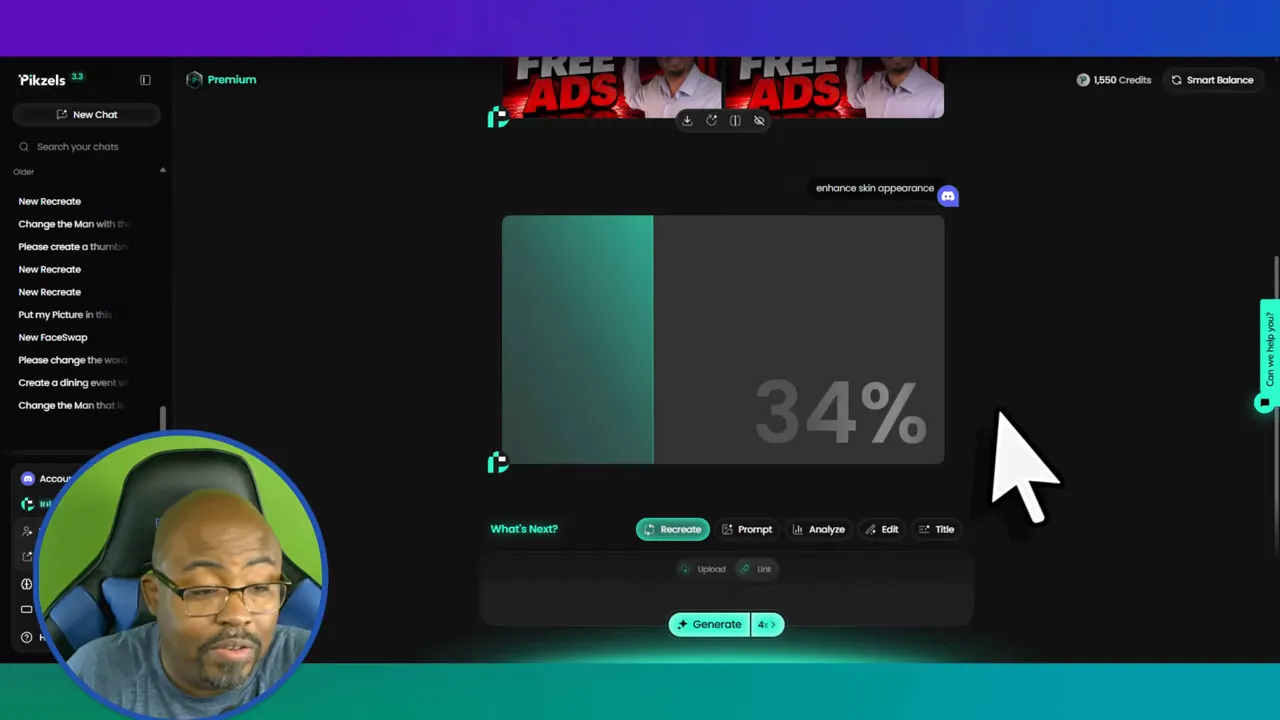
This is where human judgment still matters. AI can get you close. You still need to decide whether the packaging is actually stronger, clearer, and more clickable.
One reason this Pikzels Review leans positive is that the platform handles short prompts well.
That matters because most people are not brilliant prompt writers.
You do not always want to write a giant cinematic paragraph just to get a thumbnail concept. In my testing, Pikzels was able to take very simple prompt language and still produce usable ideas. That is huge if you are trying to move fast.
I tested a dramatic concept involving a pastor in handcuffs being taken to jail by officers. It was a very direct prompt. Nothing elegant. Nothing fancy. Pikzels still generated a compelling visual based on that idea.
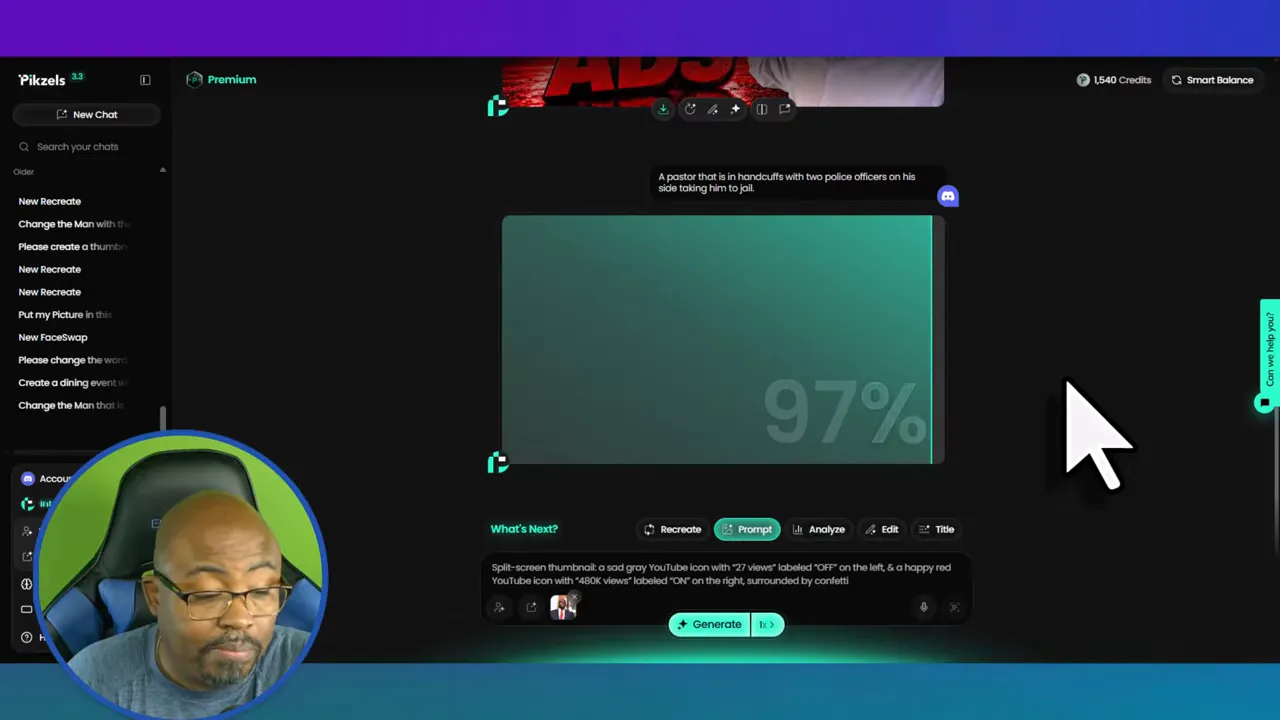
That kind of speed is valuable, especially when you are producing content at volume and need concept art fast.
If you want better results from Pikzels, I would use it with a few simple ground rules.
If you are recreating an existing thumbnail, use it as a framework. Improve the concept. Change the energy. Make it fit your brand. Add something useful instead of doing a straight duplicate.
Pikzels does not give you unlimited room for long prompt writing, and honestly, it does not need it for many use cases. Keep the prompt simple and visual.
I prefer one or two outputs rather than four or more. It keeps my credit usage tighter and usually gives me enough to work with.
I always rename and store my assets in a way that makes them easy to find later. When you create content regularly, poor asset management wastes time fast. If you struggle with that side of the process, my article on digital asset management is worth checking out.
AI still gets weird sometimes. Text can be off. Differences can be minimal. Faces may need cleanup. Never assume the output is final just because it was fast.
Built specifically for YouTube style thumbnails
Fast prompt to thumbnail workflow
Very good for recreating and adapting proven thumbnail structures
Simple interface that does not feel bloated
Supports personas, styles, and different output formats
Works well with short prompts
Useful editing tools like one click fix and skin enhancement
Credit usage can add up quickly
Personas consume credits early
Multiple generations do not always produce truly distinct options
You still need to manually review results
Monthly pricing may feel high for casual creators
I think Pikzels is best for:
Creators who publish consistently and need thumbnails fast
YouTubers who struggle with design but still want strong packaging
People building a recognizable visual brand across videos
Creators who like studying proven thumbnails and adapting them ethically
Anyone managing multiple content channels and needing speed
I think it is less ideal for:
Creators who upload rarely
People who want unlimited experimentation without thinking about credits
Users expecting perfect results with zero editing
If your bigger challenge is keeping content production moving overall, not just the thumbnail side, I would also look at this related Pikzels thumbnail review along with broader workflow systems.
To wrap up this Pikzels Review, I would say Pikzels is a strong specialized tool for creators who need speed and better packaging without spending forever in a design app.
Its best feature is not magic. It is practicality.
I can grab an idea, upload a reference, use a short prompt, and get something usable quickly. That alone makes it valuable. It is especially effective for people who want help with thumbnail consistency and quick concept generation.
It is not perfect. The credit model means you have to be intentional. Bigger batches are not always worth it. And like every AI tool, it still needs your eye on the final output.
But if you are tired of thumbnails slowing down your publishing process, Pikzels is absolutely worth a look.
Is Pikzels good for beginners?
Yes. One reason I like Pikzels is that it does not require advanced design skills. The dashboard is simple, and short prompts can still produce usable thumbnail concepts.
Does Pikzels only work for YouTube thumbnails?
No. It is built with YouTube in mind, but it also includes format options for short form content, so you can use it for platforms like TikTok and Instagram too.
What is the biggest downside in this Pikzels Review?
The biggest downside is credit efficiency. Some features use more credits than expected, and generating several options at once does not always produce enough variation to justify the spend.
Can Pikzels recreate another thumbnail style?
Yes, and that is one of its strongest use cases. I can upload an example thumbnail and use it as a starting point. My recommendation is to adapt and improve the structure rather than directly copy it.
How much does Pikzels cost?
Premium is $40 per month for up to 150 thumbnails, and Ultimate is $80 per month for up to 450 thumbnails.
Should I use long prompts in Pikzels?
Usually no. Pikzels works well with short, clear, visual prompts. That is one of the reasons I find it fast and practical.