May 4th, 2026 at 4:00 PM
YouTube MarketingThisPikzels Review is for anybody who is tired of guessing their way through thumbnail design, fighting with Photoshop, or spending way too much time trying to make one image that actually gets clicks. Thumbnails are everything on YouTube. I do not care how good the content is. If the packaging is weak, people scroll right past it.
Don't Miss This Deal |
| Grab Pikzels Today!! |
| Grab Software Today Lifetime Discount!! |
That is why Pikzels caught my attention and why I have kept the subscription. This is not just another generic AI image tool trying to be everything for everybody. It is built specifically for YouTube packaging, which means thumbnails, title support, and optimization that is actually focused on click-through rate.
If you need something that helps you create thumbnails fast, test ideas, keep your branding consistent, and skip a big chunk of the usual design learning curve, Pikzels has a lot going for it. It is not perfect, and I will get into that, but it is one of the better thumbnail tools I have tested.
If you want the short version of thisPikzels Review, here it is: yes, it is worth checking out, especially if speed matters, if you do not want to rely on advanced design skills, or if you publish often and need thumbnails without slowing down your workflow.
What makes it stand out is not just that it can generate thumbnails. A lot of tools can do that now. What matters is that Pikzels is built around YouTube-specific use cases:
AI thumbnail generation in seconds
Thumbnail recreation and improvement from examples you already like
Persona training so the AI can use your face and branding style
Virality scoring and thumbnail analysis
Title help for stronger packaging
That combination is what makes it useful. It is not just making pretty graphics. It is trying to help you make clickable packaging.
The reality is simple. Most creators are not professional designers. A lot of people are trying to grow a channel while also handling scripts, recording, editing, posting, and everything else that comes with content creation. The thumbnail ends up being the last-minute task that gets rushed.
Pikzels solves that problem by reducing friction. You can go from idea to usable thumbnail in about 30 seconds. And when I say that, I mean the tool is actually built for speed. If you cover trending topics or run on a daily publishing schedule, that matters a lot.
I personally like keeping my workflow as simple as possible. I also work off a Kanban-style system, so any tool that helps me move faster without introducing more complexity gets my attention. If that is your style too, you might also appreciate this resource on acontent creation workflow Kanban system, because tools like Pikzels work best when they fit into a repeatable publishing process.
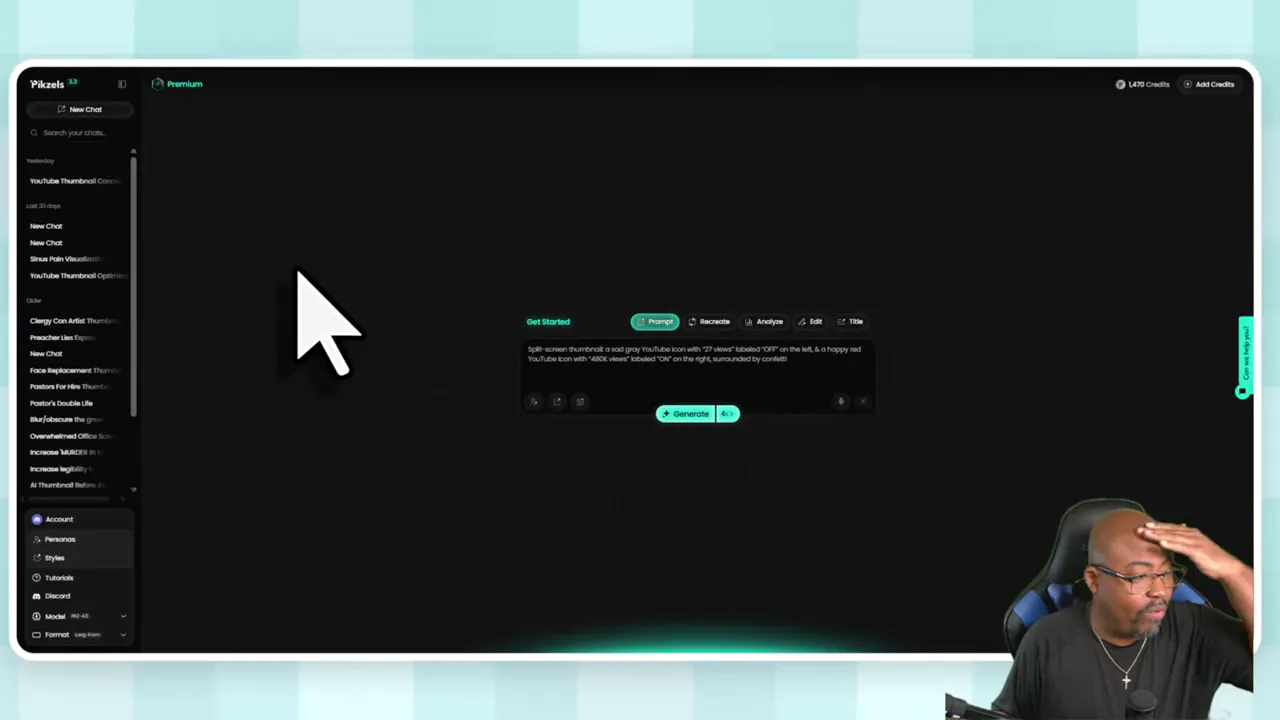
At its core, Pikzels is a full AI YouTube thumbnail generator. You type in a concept, or better yet, give it a thumbnail example you like, and it generates new versions based on that direction.
That is the first major strength of the software. You are not starting from a blank canvas unless you want to. You can work from:
A text prompt
An uploaded image
A YouTube link to a thumbnail you want to recreate or adapt
Your own persona and saved thumbnail styles
So instead of staring at a design tool trying to figure out where to place text, what expression to use, or what layout might work, you are basically directing the AI toward the result you want.
That is a big difference. It shortens the path between the idea in your head and an actual thumbnail you can use.
One of the strongest points in thisPikzels Review is the Persona system.
You can upload your own photos and train the AI so it generates thumbnails using your face. That may sound like a small thing until you think about how important consistency is on YouTube. If you want channel branding that feels familiar from one upload to the next, this matters a lot.
Instead of getting generic faces or random-looking designs, the tool can learn your look and give you more consistent outputs.
There is a tradeoff, though. Setting up your persona takes a decent number of credits up front. So if you are trying to be super conservative with credits, that initial setup may feel expensive. But once it is done, it can save a lot of time over the long run.
For creators who are building a recognizable personal brand, I think this is one of the smartest features in the whole platform.
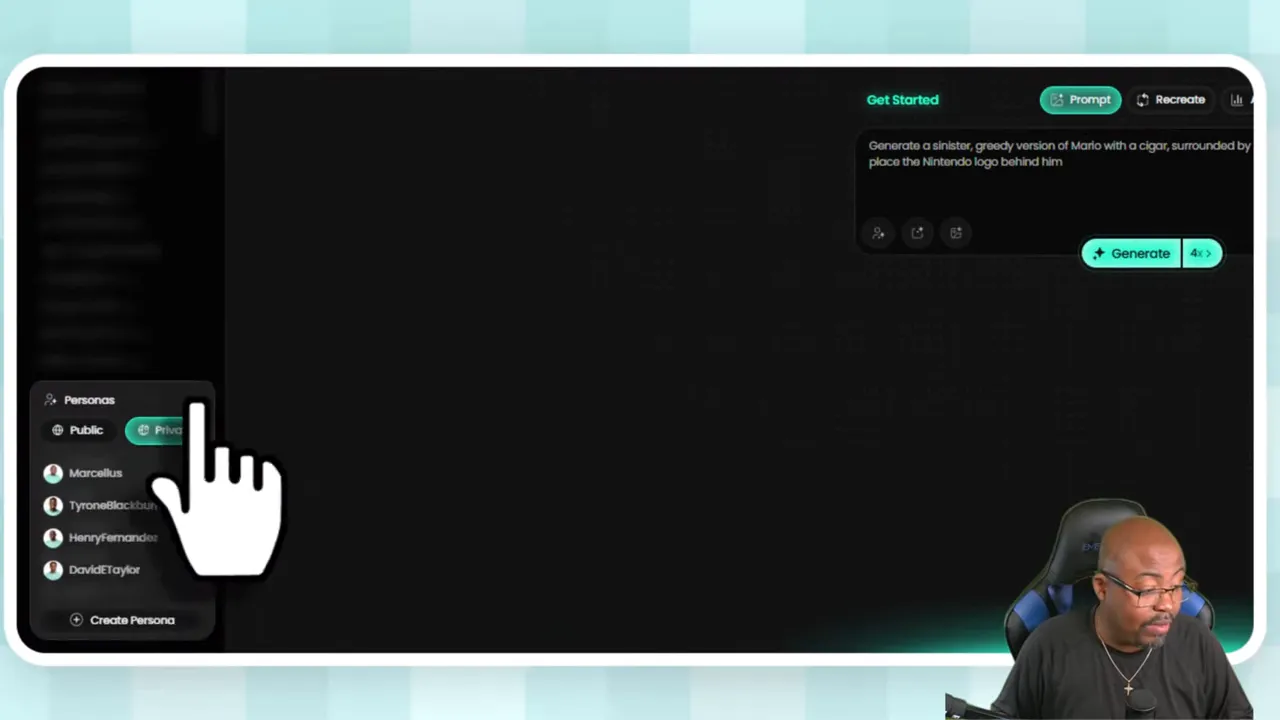
Another thing I really like is the ability to save and reuse styles. If you find a thumbnail format you like, you can add that style and keep generating with a similar look.
This is useful for two types of creators:
People who already have a thumbnail identity and want consistency
People who are still figuring things out and want to model what is already working
You can also use a YouTube link to recreate a thumbnail you like. That means if you see a concept or layout that catches your attention, you can use it as a starting point, then add your own persona and tell the tool what to change.
I showed an example where I took a thumbnail concept and turned it into a version that fit my own use. Even simple edits like changing text from one phrase to another were handled pretty easily.
That makes Pikzels practical. It is not locked into pure generation from scratch. It works well as a remix and improvement tool too.
If you are trying to improve your overall graphic skills beyond AI generation, there is also a relevant training page oncreating graphics and YouTube thumbnails that fits naturally with this kind of workflow.
There are plenty of AI tools that look interesting in theory but become annoying in daily use because they are slow or clunky. Pikzels is not really in that category.
One of the reasons I kept the subscription is that it helps me move quickly. If I need a thumbnail fast, I can generate something usable without opening multiple tools and building everything manually.
That speed matters even more if you:
publish daily
cover fast-moving topics
test multiple thumbnail directions
need quick revisions
do not want design work to become a bottleneck
For those situations, Pikzels feels more like a production tool than a novelty tool.
One thing many AI thumbnail tools ignore is the broader concept of packaging. A thumbnail does not work alone. The title and the image need to work together.
Pikzels includes title help, which I think is smart. Even if you do not use it for every title, having support there makes sense because the platform is clearly trying to help improve overall click-through rate, not just create random graphics.
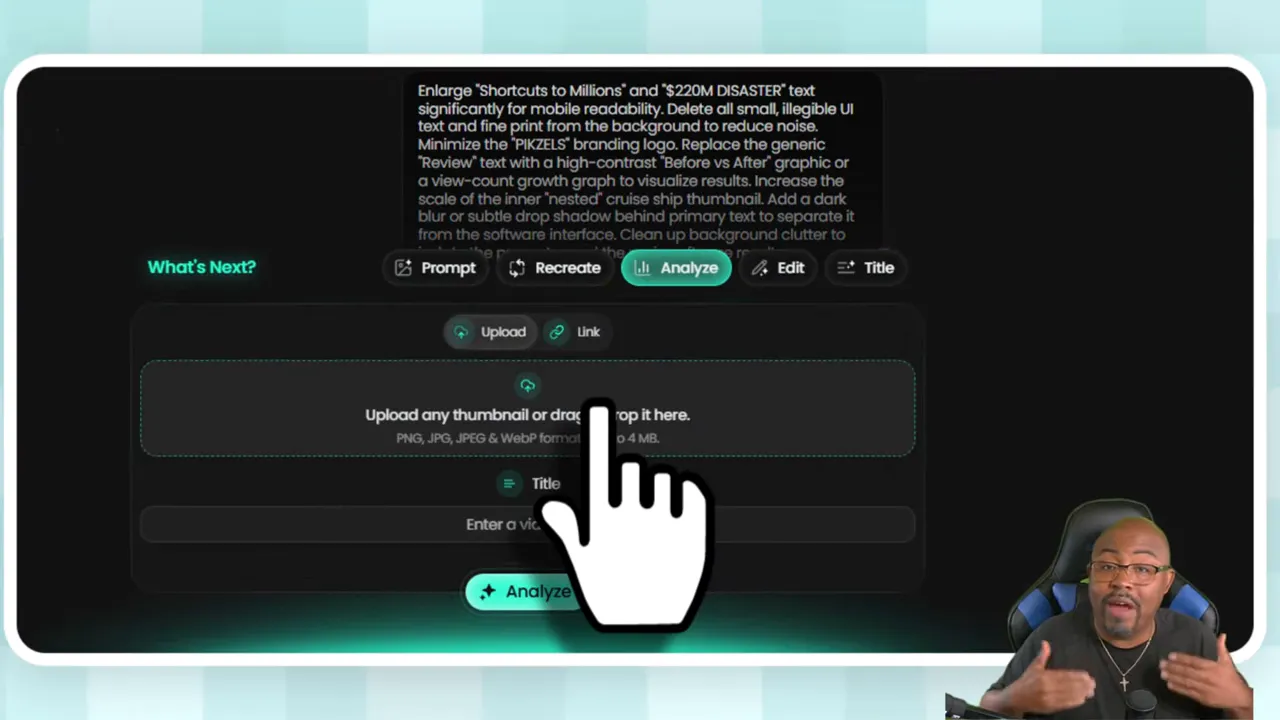
It also offers thumbnail analysis and a virality score. Now, obviously no score can guarantee something will go viral. But as a feedback mechanism, it is useful. You can upload a thumbnail, get a score, and decide whether you want to enhance it.
The enhancement process is pretty lightweight from a credit perspective too. I mentioned that enhancing a thumbnail usually takes around 10 credits, which is not bad at all.
The dashboard is straightforward. Your prior chats sit on the left-hand side, and from there you can manage your account, plans, personas, and styles.
The basic workflow is simple:
Enter a prompt for the thumbnail you want
Add a persona if you want your own face or branding style used
Upload a reference image or paste a YouTube link if you want to recreate a thumbnail
Choose how many versions to generate
Review the outputs and enhance or edit as needed
You can generate 1, 2, 4, 8, or even 16 versions at a time. That is useful if you like comparing multiple directions before choosing a winner.
The interface is easy enough that beginners should not have much trouble getting started. You do not need to know design terminology, and you do not need to wrestle with a complicated editor just to get something usable.
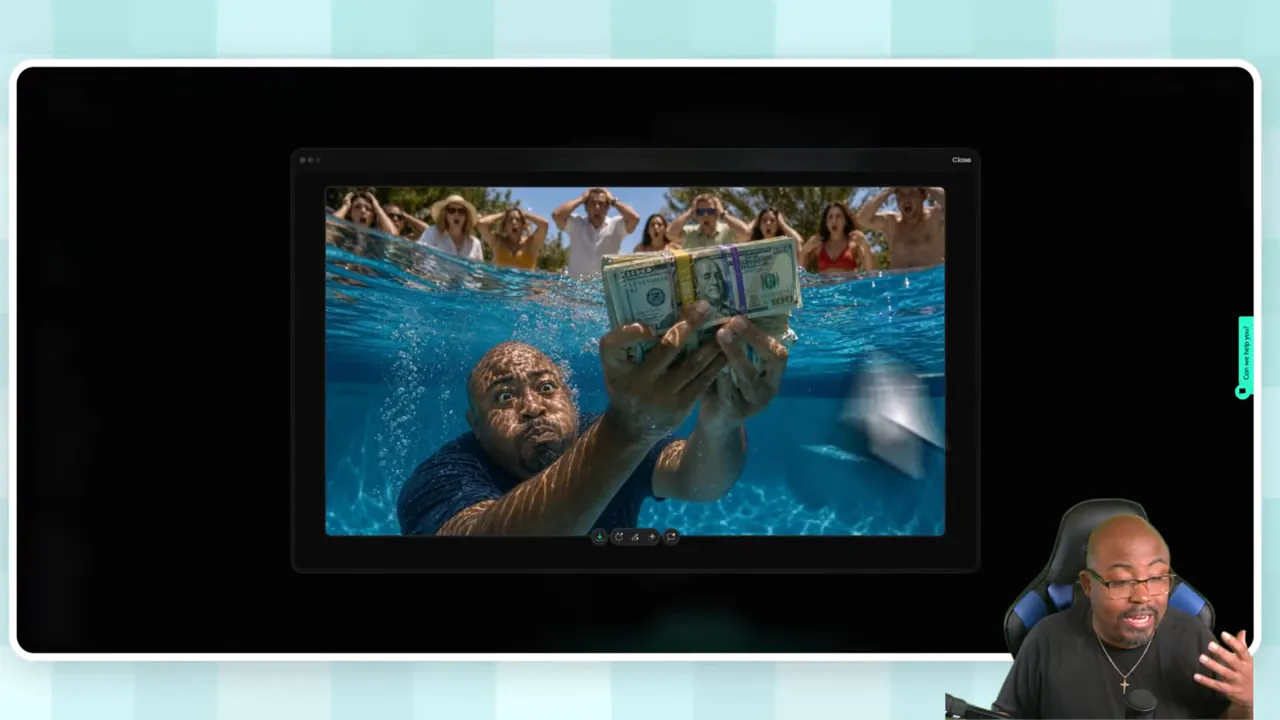
I tested the tool with some creative prompts, and the outputs gave a good sense of what it can do. One example involved creating a thumbnail of a man underwater trying to hold cash without getting it wet while people in the background reacted in shock. The AI generated multiple versions based on that idea.
That kind of test matters because it shows whether the tool can handle a more specific visual concept instead of just making generic thumbnails with big text and a surprised face.
I also used Pikzels to make thumbnails about Pikzels itself, and the results were strong enough that I had several versions to choose from before settling on one I liked best.
Credit-based systems always make people nervous, and honestly I get it. Nobody wants to sign up for software and then feel like every click is draining some invisible meter too fast.
Here is the practical reality from my experience. I typically do not run out of credits.
I mentioned having around 1,400 credits available at one point and not really stressing about usage. I generally get about 1,000 credits per month, possibly a bit more depending on the plan, and for my own workflow that has been enough.
Extra credit packs were listed roughly like this:
500 credits for $15
1,500 credits for $40
2,500 credits for $65
3,500 credits for $90
4,500 credits for $115
The nice part is that unused credits roll over, which takes some of the pressure off.
Now, if you are an agency making thumbnails for multiple clients, this could become more of a concern. But for individual creators, especially those using it as part of a normal publishing routine, the credit system seems manageable.
Fast generation that genuinely helps speed up content production
Built for YouTube instead of trying to be a generic AI art platform
Persona support for consistent branding using your own face
Style saving and thumbnail recreation for easier repeatability
Virality scoring and analysis for optimization
Simple interface that works for beginners and more experienced creators
Title support so you can think about the full package, not just the image
No honestPikzels Review should skip the downsides.
The main complaint I have is that Pikzels is not great for very long, highly detailed prompts. If you already have elaborate prompt frameworks written out, this probably is not the tool where you will fully use that level of detail.
It can absolutely take prompts. That is not the issue. The issue is that it is not really designed for giant prompt essays.
So if your process depends on long-form prompting with lots of layered instructions, you may feel a little boxed in here. Pikzels seems to work best when you are clear, direct, and focused.
The other limitation is the persona setup cost in credits. It is worth it for branding, but it is still something to be aware of.
I think Pikzels is a strong fit for:
YouTube creators who want better thumbnails without learning advanced design
People covering trends who need fast turnaround
Creators who want consistent face-based branding
Anyone testing thumbnail concepts and trying to improve CTR
Beginners who feel overwhelmed by Photoshop or Canva
It may be less ideal for:
People who want extremely deep prompt control
Agencies generating a huge volume of thumbnails for many clients unless they plan around credits carefully
Designers who already prefer fully manual thumbnail workflows and want total pixel-level control from start to finish
To wrap up thisPikzels Review, I would say Pikzels is one of the better AI thumbnail tools I have used because it stays focused on the real job: helping you create YouTube packaging that earns clicks.
That is the key. Speed is great. AI generation is great. But if the outputs are not useful for YouTube, none of that really matters. Pikzels gets points from me because it is clearly built with creators in mind.
It helps you move quickly, gives you multiple ways to build or improve thumbnails, supports branding through personas, and adds optimization features most basic thumbnail generators ignore.
It is not perfect. Long prompts are not its strength. But overall, if you are trying to stop guessing and start producing thumbnails with a stronger chance of getting clicks, it is absolutely worth trying.
If you are actively working on your YouTube systems overall, you may also want to browse the broaderYouTube training resources here because tools like Pikzels work best when they are part of a bigger strategy.
Is Pikzels good for beginners?
Yes. One of the best things about Pikzels is that you do not need advanced design skills. You can generate thumbnails from prompts, examples, or links without needing to master Photoshop or Canva first.
Can Pikzels use my face in thumbnails?
Yes. The Persona system lets you upload your own photos and train the AI so it can generate thumbnails using your face. That helps with branding and consistency across your channel.
How fast can Pikzels generate thumbnails?
It can generate thumbnails in about 30 seconds. That makes it especially useful for creators who publish often or cover time-sensitive topics.
Does Pikzels only create thumbnails from prompts?
No. You can also upload an existing thumbnail, paste a YouTube link to recreate a thumbnail style, or use saved styles and personas to guide the output.
Does Pikzels help with titles too?
Yes. Pikzels includes title support, which is helpful because thumbnails and titles work together as part of your YouTube packaging.
Does Pikzels have a credit system?
Yes. Pikzels uses credits for generation and enhancement. Based on my use, the credits have been manageable, and unused credits roll over. Persona setup does take more credits up front than regular generation.
What is the biggest weakness of Pikzels?
The biggest weakness is prompt length. It is not the best tool for very long, highly detailed prompts. It works better with focused and direct instructions.
Is Pikzels worth it for YouTube creators?
For many creators, yes. If your goal is to make clickable thumbnails faster, improve branding, and simplify your packaging workflow, Pikzels is worth testing.