April 8th, 2026 at 4:47 PM
Productivity
If you are looking for aVoicedash Review that helps you decide whether speech-to-text is worth it, this guide covers the practical details that matter: what Voicedash does, which features you can use for writing and content creation, how the pricing tiers work, and what to check before you commit.
Bottom line: Voicedash is designed to turn spoken ideas into polished, structured text, with hotkeys for quick dictation across common apps. It is also presented as a good alternative to other monthly speech-to-text tools, including workflows for book writing, social posting, and note capture.
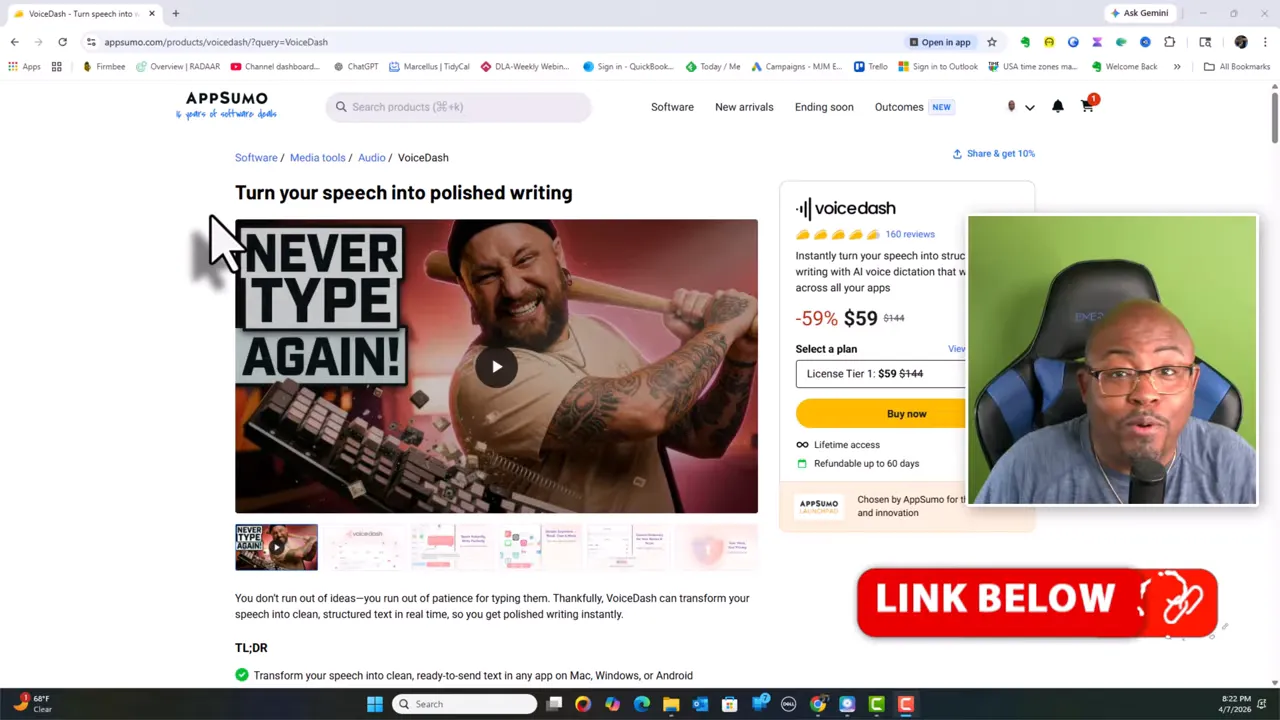
Voicedash is a speech dictation and AI-assisted writing tool that aims to convert what you say into clean writing. The product focuses on speeding up the process of turning ideas into usable text, so you can spend more time editing and publishing and less time typing.
Based on the tool’s described capabilities, it is useful for:
Book writing by capturing your ideas as you speak.
Content creation such as social posts and comment replies.
Productivity notes where you want quick capture without typing.
Structured drafting where filler words can be reduced and text can be made more organized.
Voicedash supports dictation using hotkeys and a small interface element that appears where you can talk. This is meant to reduce friction so you can speak your thoughts and have them typed out instead of manually typing each word.
In practical workflows, hotkeys are useful for writing comments quickly and capturing text while working inside other tools.
The tool is positioned as producingclean, structured text in real time. It also describes options related to removing filler words so the resulting text reads more like writing than raw speech.
If the speech recognition struggles with specific words, Voicedash includes adictionary feature so you can add new terms. This is especially helpful for:
Names
Industry jargon
Technical vocabulary
Snippets let you save reusable pieces of text and recall them through a shortcut approach. This is described as useful for inserting details like your email address and other common phrases quickly.
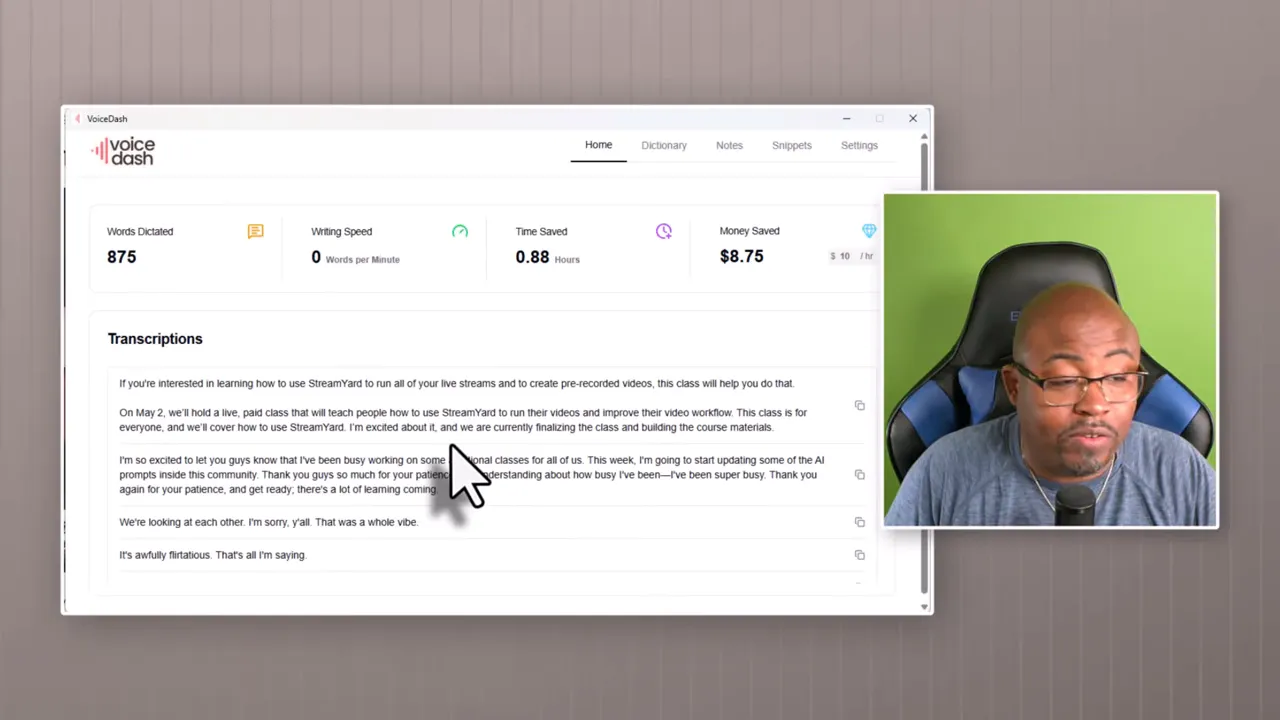
Voicedash keeps transcriptions so you can copy and paste them later. It also includes anotes feature, described as allowing you to take a quick voice note and save it inside the app.
Voicedash is described as letting you personalize how you write by training it on your terms and dictation preferences, which can improve results over time for your specific speaking style.
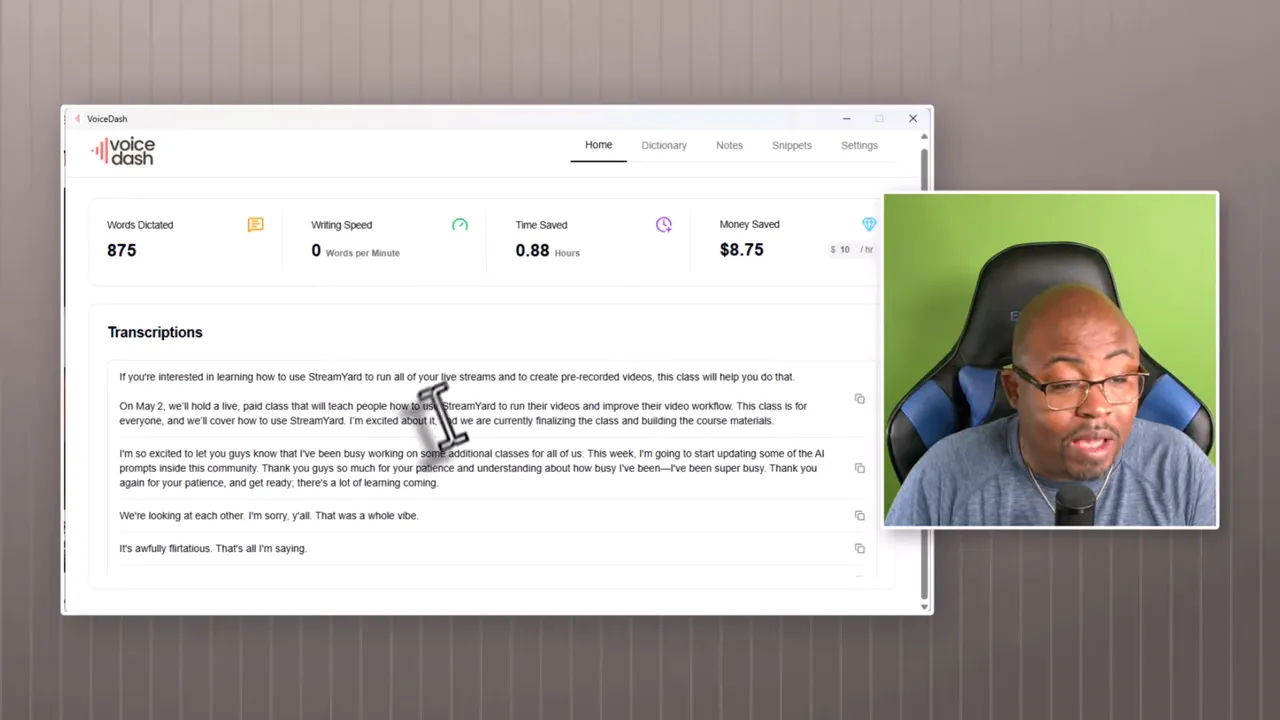
Voicedash is presented as working across your apps using dictation anywhere the tool’s dictation icon is available. The described examples include:
Facebook posting and comment writing
Instagram content creation
YouTube comments, including faster replying during live interactions
Email and productivity tools where dictation can be used when the input field is active
Notion-style workflows for capturing tasks or writing drafts
It is also positioned as being compatible with workflows involving ChatGPT, and it is described as providing integrations forOpenAI and Stripe. The Stripe integration is mentioned but not detailed beyond being included.
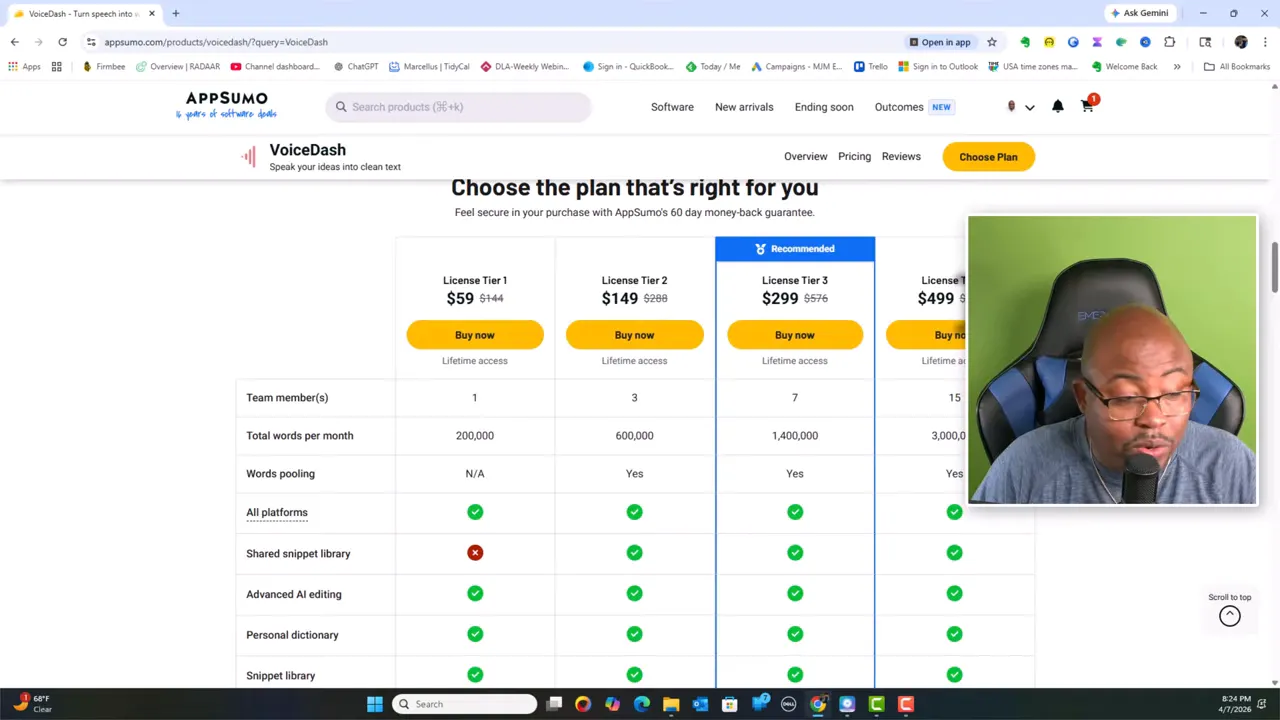
Voicedash pricing is shown in multiple license tiers, including tiers labeled1 through 4. The key difference across tiers is the amount of monthly word allowance and the number of team members included.
The product is described as available throughAppSumo at the time of the review. It also includes a 60-day refund policy, which gives you a window to test the tool.
Team members: 1
Words per month: 200,000
Includes: all platforms and a shared snippet library is described as not included at this level
Not included at this tier (as described): advanced AI editing and shared snippet library
Team members: 3
Words per month: 600,000
Includes: words pooling (described) and shared snippet library
Team members: 7
Words per month: 1,400,000
Includes: words pooling and shared snippet library
Price mentioned: $499
Team members: 15
Words per month: 3,000,000
Includes: words pooling and shared snippet library
Note on words pooling: the concept is described, but the specific mechanics are not fully explained in the source material. If words pooling matters to your plan, it is worth checking AppSumo’s plan details directly before choosing a tier.
When you log in, Voicedash is described as prompting you through setup steps. These include:
Recognizing your voice by completing initial prompts
Configuring hotkeys that trigger dictation
Hotkeys are said to come pre-assigned, but you can adjust them based on how you want dictation to work.
Speeds up writing by letting you speak instead of type everything manually.
Hotkeys support fast capture and quick comment or note writing.
Personal dictionary helps improve recognition for your terms.
Snippets support reusable text inserts.
Plans with word allowances scale from solo use up to team use.
60-day refund gives you time to test whether it fits your workflow.
Word limits depend on tier, so heavy use may require upgrading.
Custom dictionary and training are important for best results, especially for jargon and names.
Integration details are limited in the description provided, so you will want to confirm how OpenAI and Stripe integrations apply to your use case.
Choose Voicedash if any of these are true:
Don't Miss This Deal |
| Grab TubeOnAI Today!! |
| Grab Software Today Lifetime Discount!! |
You want toreduce typing for writing and replying.
You are working ona book or long-form writing and want to capture ideas while you think.
You frequently writecomments or text responses in social platforms and want faster input.
You repeat the same information often and would benefit fromsnippets (like email or standard phrases).
You need to ensure specialized vocabulary is recognized via apersonal dictionary.
Consider alternatives or use it more cautiously if:
Your workflow is extremely sensitive to transcription accuracy and you cannot spend time editing.
You only need occasional note capture and word limits could be overkill.
Here is a simple approach to get value quickly, especially for book writing and content creation.
Set dictation hotkeys to a comfortable key combination so you can trigger speech-to-text without breaking your flow.
Before long sessions, add:
Proper nouns (names, brands, places)
Recurring jargon or technical words
Any words that commonly get misrecognized
Use dictation to capture raw ideas quickly. Afterward, edit for clarity and structure. The tool is described as providing structured output and reducing filler words, but you still want to refine the final draft.
For repeated details (contact info, standard replies, templates), create snippets so you do not re-speak the same lines.
Use notes and saved transcriptions as your idea bank. Copy and paste the most useful segments when you are ready to write the final version.
Skipping dictionary setup: if you start with a jargon-heavy topic, recognition quality can suffer until you add custom terms.
Trying to dictate a final draft: it is often faster to dictate ideas and then edit into a polished structure.
Using the wrong tier: if your word usage is high (for example, daily long dictation), the monthly word allowance may limit you.
Not testing hotkeys: poorly chosen shortcuts can slow you down instead of speeding you up.
Voicedash is described as useful for both. The writing-focused value is highlighted for creating book drafts, while hotkeys and dictation are also presented as helpful for posting and replying on platforms like Facebook, Instagram, and YouTube comments.
Yes. A built-in dictionary is described as allowing you to add new words when the tool struggles to recognize specific terms.
The tiers differ primarily by monthly word allowance and team member count. Higher tiers include larger word limits and shared resources such as a shared snippet library and words pooling as described.
A 60-day refund is described, allowing time to test the software and decide if it fits your workflow.
The tool is described as usable across apps anywhere the dictation icon is available, which includes workflows such as emails and productivity-style tools like Notion.
It is described as having capabilities related to cleaning text, including removing filler words and producing more structured output.
A strong reason to choose Voicedash is if you want toturn spoken ideas into written text quickly, reduce typing time, and capture drafts for projects like a book or frequent social replies. The combination of hotkeys, a personal dictionary, snippet reuse, and tiered word limits can make it practical for creators, marketers, students, and small businesses.
If you are on the fence, the best approach is to treat the setup as part of onboarding: configure hotkeys, add custom terms, and test your real workflow. With the described 60-day refund window, you have a reasonable opportunity to validate the return on time saved.
Next steps: Check the tier that matches your expected monthly word usage, confirm the integrations you care about, and plan a short test session on a real writing task (not just a few sample sentences).