August 10th, 2026 at 10:12 PM
Social MediaThis ViralSky Review is based on how I am using the platform to build a more consistent social media presence and bring one of my Facebook brands back to life. ViralSky is an AI content tool built to help creators turn a topic into threads, posts, images, trending-news content, and ideas without staring at a blank prompt all day.
My honest take is simple: ViralSky is not a magic button that makes anything go viral. What it does give me is a more guided system for producing content, pairing posts with visuals, finding inspiration, and scheduling consistently. That consistency has been the real difference maker for me.
ViralSky creates social posts, threads, images, ideas, and news content from guided AI prompts.
My Facebook growth came from consistently posting, with ViralSky helping speed up content production.
The tool supports Facebook, LinkedIn, X, and Threads with multiple AI models and content formats.
Compare credits and future-update access carefully before choosing a ViralSky lifetime deal.
ViralSky is an AI-powered social content creation platform for creators, influencers, business owners, and social media marketers. It is designed to create content for Facebook, X, LinkedIn, and Threads from one central workspace.
The core promise is that I can start with an idea, have the platform develop it into a post or thread, create a matching image, and get the content ready to publish or schedule. ViralSky includes more than 50 content templates and supports several AI models, including Claude, OpenAI, Gemini, and Grok.
The platform says its approach is trained around patterns from hundreds of millions of viral views. I would not buy any tool solely because of a viral-content claim, but I do like that ViralSky gives me structured formats instead of asking me to figure out every prompt from scratch.
I am not using ViralSky as a theory. I am using it as part of a real push to grow a Facebook brand that had been sitting mostly inactive.
Before I began posting consistently, I had only made two posts during December and one post during November. Starting in January, I began filling my schedule with regular content. My calendar went from almost empty to daily green blocks of scheduled posts across the months.
That consistent effort helped my Facebook page reach roughly 772,000 views, an increase of about 488%. Conversations also rose by about 38%, and the page was bringing in around $135 per month at the time I checked it.
I want to be clear about what those numbers mean. I am not saying ViralSky alone created those results. I was making a concerted effort to post every day, use content planning tools, create visuals, and keep the brand active. ViralSky helps me move faster, but the strategy still requires me to show up, review the content, and stay consistent.
If you need a stronger system around your publishing schedule, my content creation workflow Kanban system can help you organize topics, deadlines, approvals, and production tasks alongside the content you generate.
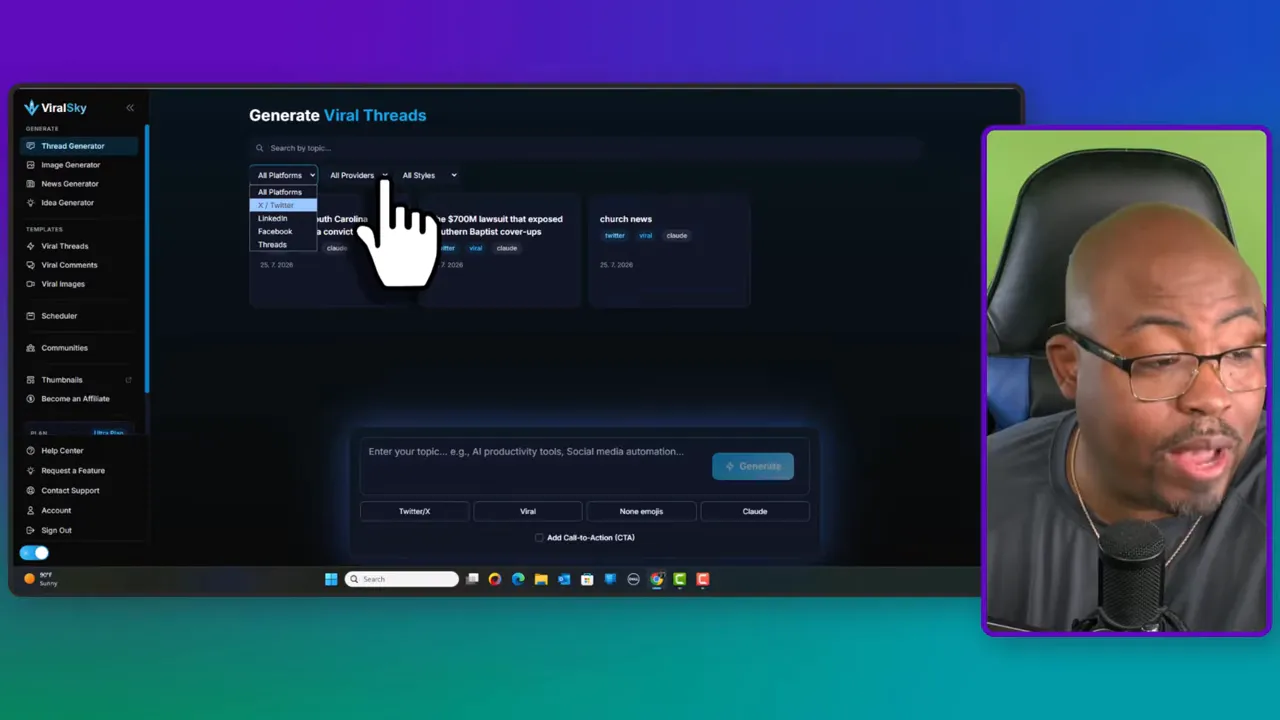
The thread generator is where I would begin most of the time. I enter a topic related to my niche, then choose the platform, AI model, and content format I want.
The topic can be broad or specific. It might be AI generation, social media marketing, a niche story, a local event, or a subject that matters to my community. Then I select the destination platform:
X
Threads
That gives me a more appropriate starting point for the platform rather than trying to force the same post everywhere.
ViralSky gives me a choice between Claude, OpenAI, Gemini, and Grok. I can also choose a format such as viral, educational, storytelling, or list content.
That is one of the reasons this ViralSky Review is positive. The guided options give me direction. I do not have to begin every content session by building a complicated prompt from nothing. I can choose a format, generate a draft, and then make it sound like my brand.
Once the platform produces the post or thread, I can copy it into a document, revise it, turn it into a visual, or schedule it from within the tool. I still recommend reviewing everything before it goes live. AI can speed up the first draft, but my personality, accuracy, and point of view are what make the post worth publishing.
After creating the written post, I can move that idea into ViralSky's image generator. I often use the generated copy as the foundation for the image prompt so the visuals stay connected to the message.
The image generator can create post visuals, news-style graphics, and other social-ready images. I can also include a tagline or specific branding direction in my prompt. If something needs to be changed, I can regenerate or revise it instead of starting over from scratch.
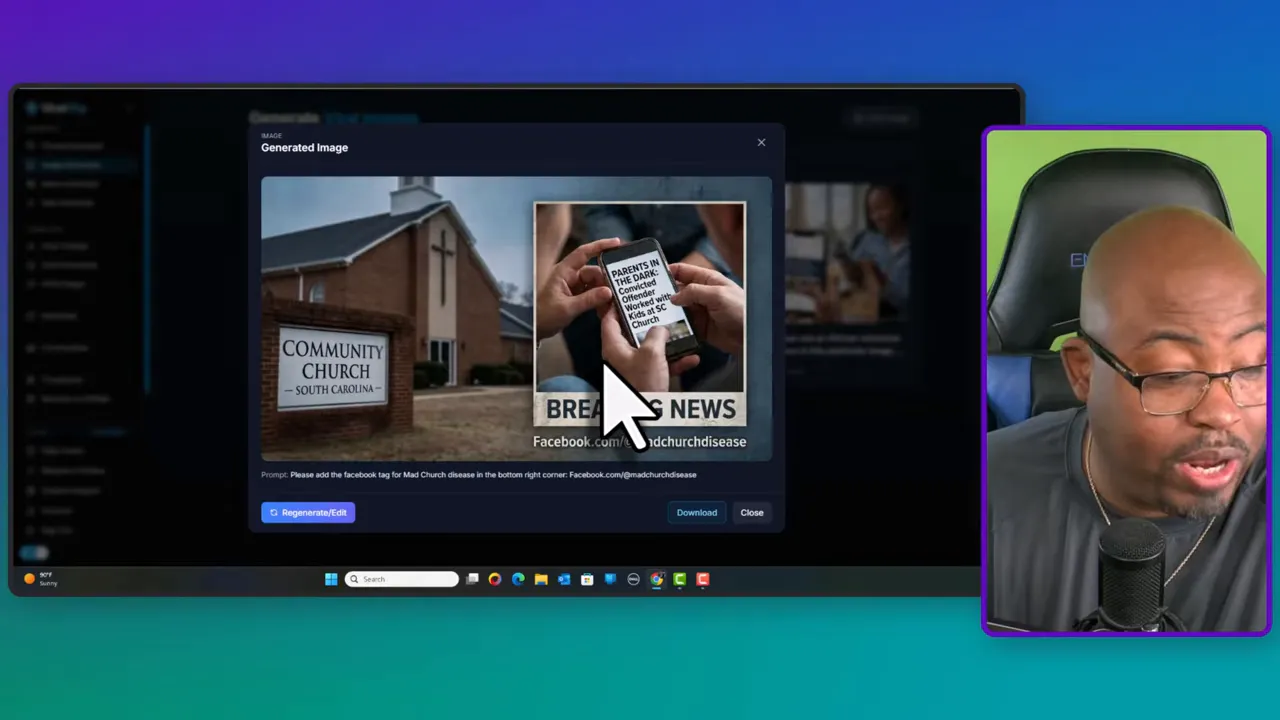
I am using this alongside other tools as I build toward a larger social media push. It is especially useful when I need a quick visual to support a thread, a Facebook post, or a current-topic update.
For a broader strategy on reusing every piece of content you create, I recommend reading my guide on repurposing content for business growth. One strong idea can become a post, graphic, thread, newsletter topic, video, and more.
The news generator is another useful feature in this ViralSky Review. It helps turn trending topics into social content around categories such as AI technology, marketing and advertising, and social media.
I can select a trending topic, choose whether I want a short post, newsletter-style thread, or another format, and have ViralSky generate a starting draft. I can also enter a custom topic or keyword.
One practical method I use is taking a link to an article or source topic I want to discuss and using it as the basis for the content request. That gives the AI more context for what I am trying to create. Even then, I review the source material and the finished copy before publishing. Timely content only helps if it is accurate and actually relevant to my audience.
ViralSky goes beyond text generation. It includes a viral-thread discovery area, an idea generator, viral images, GIFs, memes, and motivational content that can help spark new posts.
The Facebook Groups feature is particularly interesting. The platform showed a collection of 53 curated groups totaling about 46.7 million members. I can use group discovery to find relevant communities, track what people are discussing, and understand the type of content that gets attention in a niche.
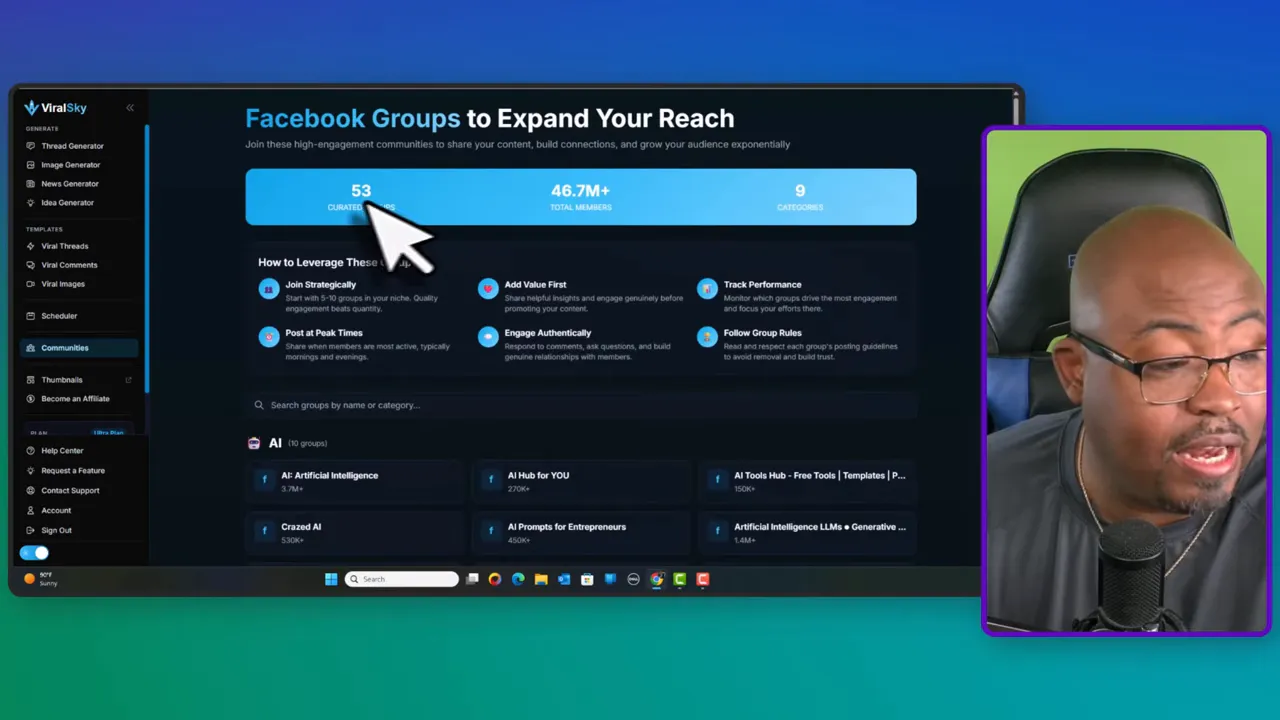
I would not use this to spam groups or copy viral content word for word. The value is in spotting patterns, studying discussions, and using those insights to create something useful in my own voice.
If you already own a social scheduler such as Publer or Radaar, ViralSky can work well as the content engine feeding that scheduler. I can create the copy and visuals in ViralSky, then use the scheduling tool I already have to manage publishing. For more ideas on creating content efficiently, take a look at my Content Creation With AI course.
At the time of this ViralSky Review, the AppSumo lifetime deal had three tiers. Offers and terms can change, so always verify the current details before purchasing.
Tier 1: $49 for 550 credits per month.
Tier 2: $99 for 1,600 credits per month.
Tier 3: $199 for 5,000 credits per month.
The higher tier gives access to more credits and features such as news content, images, and idea generation. The deal shown also referenced the ability to create up to 200 posts per month.
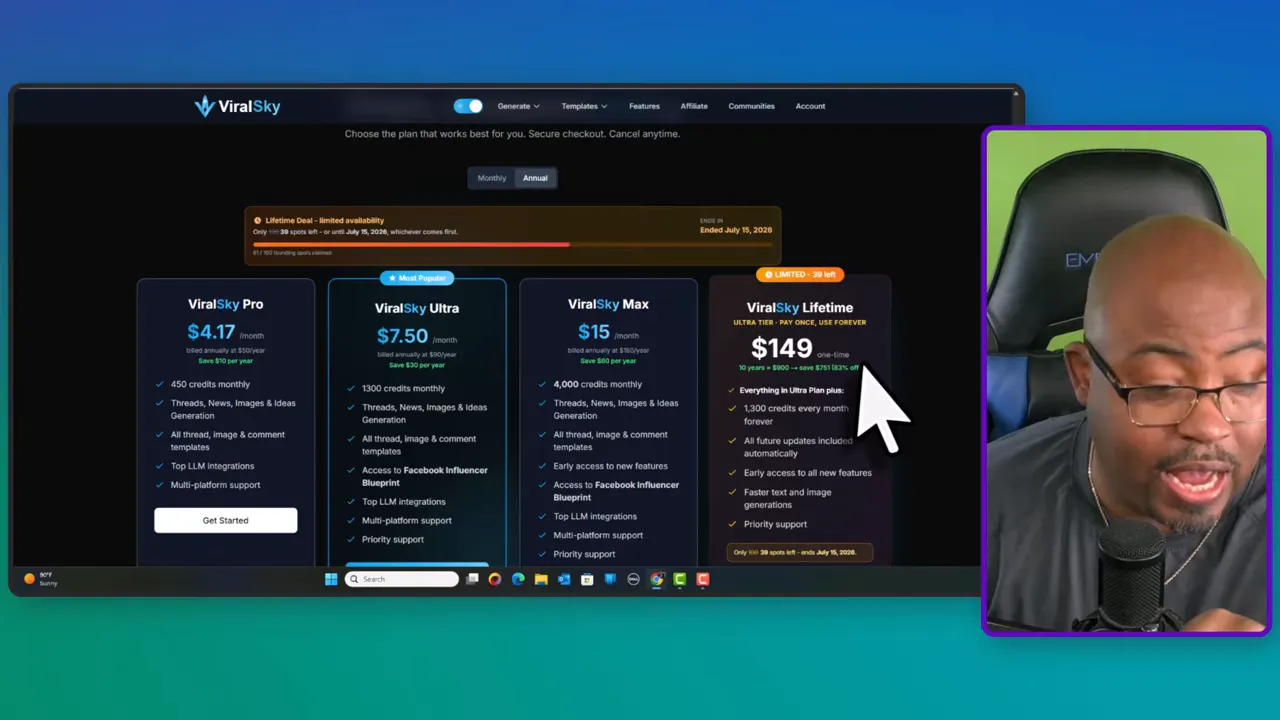
There is another important comparison to make. ViralSky's own Limited Ultra Lifetime option was shown at $149 and included early access to future features. The AppSumo Tier 3 option showed more monthly credits, but I did not see the same future-update language clearly stated there.
So I would make the decision based on what matters most to me:
Choose the AppSumo option if higher monthly credits are the priority.
Consider the direct ViralSky lifetime option if early access to future features matters more.
Read the current offer details carefully before buying because lifetime deal terms can change.
|
It provides a guided alternative to writing every AI prompt from scratch.
It creates threads, short posts, images, ideas, and news-related content in one platform.
It supports Facebook, LinkedIn, X, and Threads.
It offers multiple AI model choices and content styles.
It can help turn a content idea into a more complete post package quickly.
It supports the kind of consistency I need to grow a social presence over time.
It is an AI assistant, not a guarantee that content will go viral.
Generated posts still need editing, fact-checking, and brand-specific personality.
Credits matter, so heavy content producers should compare the tiers carefully.
People who already have a strong content system may only need certain features.
Future-feature access should be verified before choosing between lifetime deal options.
I think ViralSky is best for content creators, social media managers, business owners, affiliate marketers, and brands that need to post consistently but do not want to spend all day coming up with ideas and visuals.
It is especially useful if you have a page that has gone quiet, a social calendar that stays empty, or lots of expertise but trouble turning that expertise into daily posts. The platform can give you a repeatable process: find an idea, generate a format, create a visual, edit it for your voice, and schedule it.
It may not be the best fit if you expect fully automated content to perform without any human involvement. That is not how I use it. I use ViralSky as part of a deliberate system, not as a replacement for strategy.
My final ViralSky Review verdict is that this is a solid tool for creators who need help producing social content consistently. I like the combination of thread creation, image generation, trend-driven ideas, viral-content research, and scheduling support.
The most important lesson from my own results is not that I found a magic AI tool. It is that I started posting consistently. ViralSky makes that work easier because it removes some of the friction between having an idea and getting a finished social post onto my calendar.
If you are serious about rebuilding an inactive page, expanding your Facebook reach, or creating more content without multiplying your workload, ViralSky is worth considering. Just choose the plan carefully, edit what the AI gives you, and build a real posting habit around it.