July 8th, 2026 at 4:30 PM
Content MarketingPoko Motion Review time, and I have to say this one caught my attention fast. I am always looking for software that can help me create better promotional videos, course intro videos, and short sales videos without dragging me through a giant editing process. Poko Motion does exactly that. It takes documents, URLs, PDFs, slide decks, and even repository folders, then turns them into motion videos with AI doing a lot of the heavy lifting.
What makes this one stand out for me is not just the automation. It is the speed, the privacy, and the fact that it runs locally instead of forcing me into render queues and extra cloud fees. If you create content regularly and need more videos without more hassle, this app is worth a serious look.
Poko Motion is built to convert existing material into animated video content. Instead of starting from a blank timeline, I can point it to a source and let the software build the foundation for me. That changes the whole workflow.
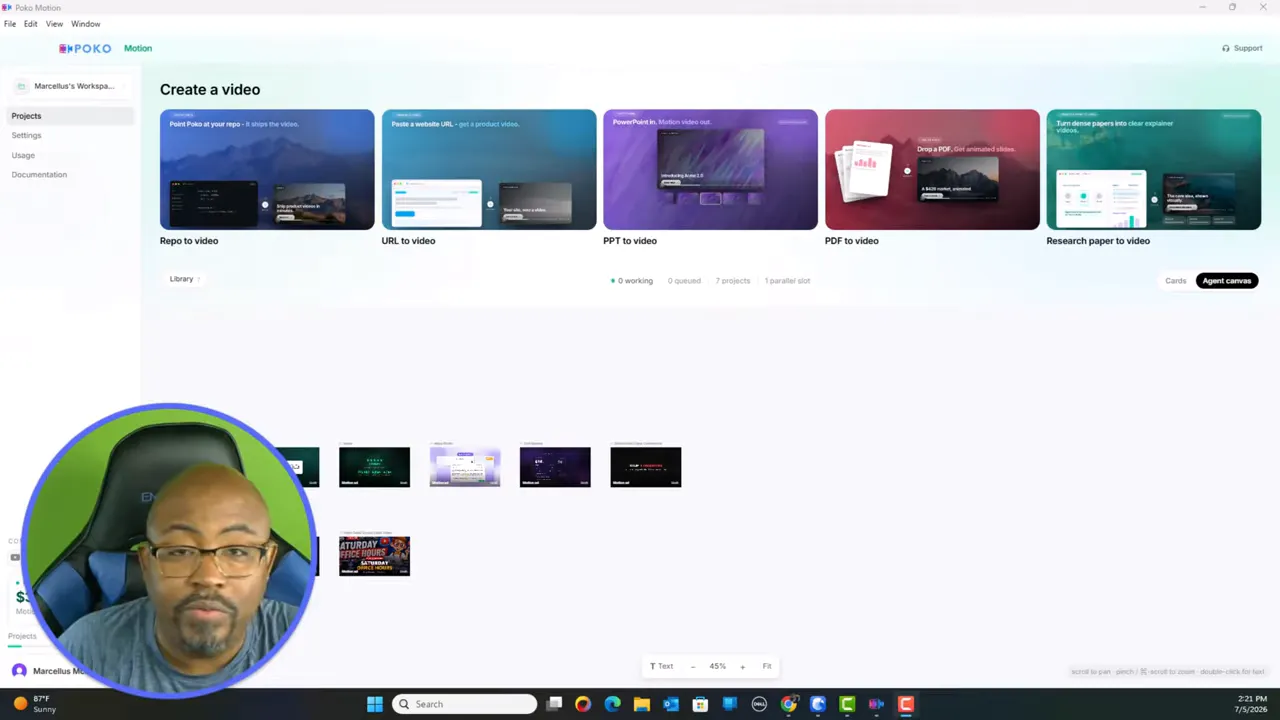
The app supports several input types:
Repo to video for asset folders and repositories
URL to video for websites and landing pages
PowerPoint to video for presentations and lessons
PDF to video for guides, lead magnets, and training docs
Research paper to video for academic and educational content
That alone gives it a lot of range. I am not boxed into one use case. I can use it for product promos, educational explainers, client projects, and sales pages.
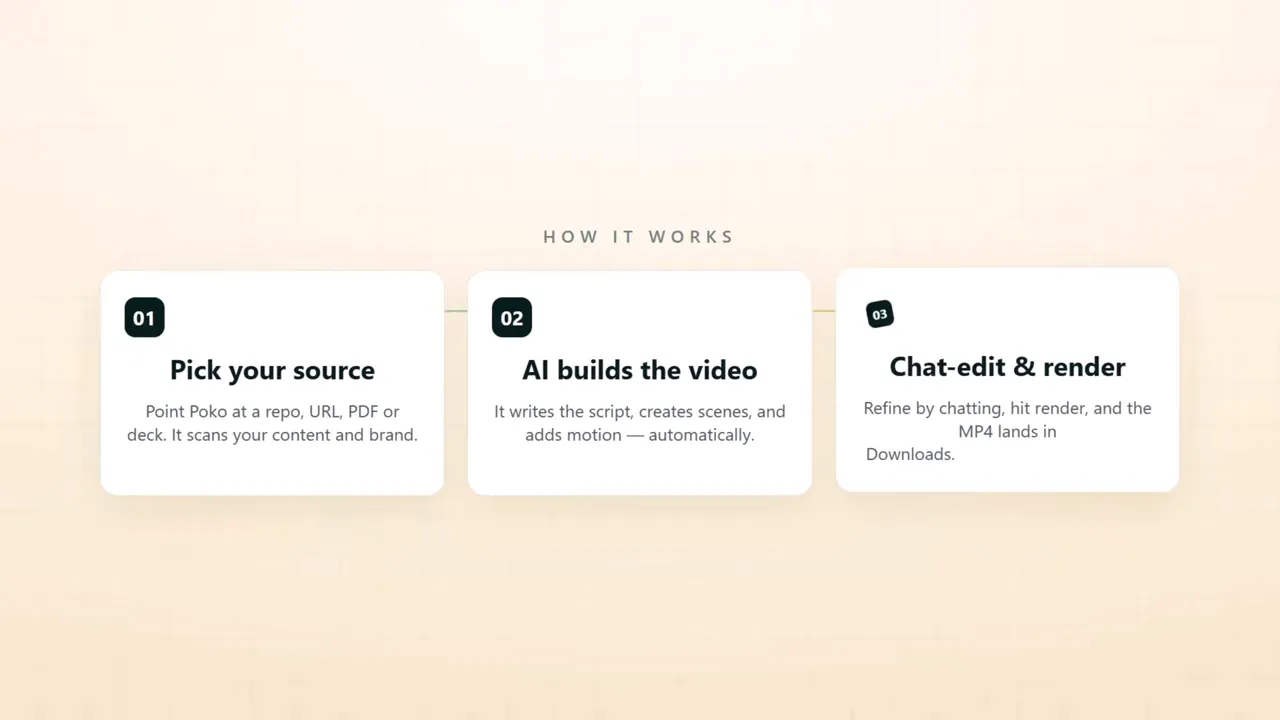
Poko Motion is clearly aimed at people who need more output without adding more production friction. That includes:
Course creators making intro and lesson support videos
Marketers building promos from landing pages and product pages
Agencies that need quick turnaround on client videos
Indie hackers who want polished product explainers
Video editors who want a faster first draft to build from
For me, one of the strongest use cases is course creation. I can take an offer page or source file, generate a concise promo video, and use that to support enrollment pages or class intros. If you are building a broader content engine, this lines up well with the ideas I cover in repurposing content for business growth.
The dashboard is clean and straightforward. I did not feel buried under a bunch of clutter. Right from the main area, I could see the major creation options and move into the type of video I wanted to make.
That matters because some AI tools promise speed but lose it the second you enter the interface. Poko Motion feels much more practical. The layout made it easy for me to understand how to get from source material to finished video.
This option is useful when I already have assets collected in a folder. I can drop in the material, let the app pull from those assets, and generate a video based on what I have prepared. That is a strong feature for organized creators and agencies.
This is one of my favorite features because it is so practical. If I already have a course page, service page, or product page live online, I can use that page as the source and let Poko Motion build a video from it.
I tested this with a course page and got a polished sales style video built from the page content. It handled the structure well, and it gave me a strong starting point without me having to write everything manually.
If you already teach from slide decks, this could save a lot of time. Rather than leaving those slides trapped as static material, you can transform them into motion content. That opens up more ways to reuse training material.
This is great for lead magnets, guides, and documentation. A lot of good content gets buried inside PDFs. Turning those into short videos creates another distribution format with much less effort.
This one is interesting because it reaches beyond marketing and into educational and academic use. If you work in research, analysis, or training, that feature could become a serious asset.
One thing I liked was seeing how well Poko Motion could create a promotional video from a course page URL. I used it on a StreamYard class page, and the app generated a concise, sales oriented video that highlighted the pain point, explained the offer, and ended with a strong call to action.
That is exactly the kind of use case that makes this software practical. I do not need every output to be perfect on the first pass. I need it to get me 70 to 80 percent of the way there quickly, then let me refine the rest. Poko Motion does that well.
If your focus is building educational offers and video marketing around them, you would probably also get value from Content Repurposing MasterClass, because this software fits neatly into that kind of workflow.
The process is pretty direct. I give Poko Motion a prompt or a source, and it generates the script, the scene structure, and the motion video framework. From there, I can tweak and refine.
That is important because this is not just a dumb conversion tool. It is doing actual content shaping. It is taking source material and turning it into something that feels like a video, not just a slideshow with transitions.
The generated example I worked through had clear sections, animated text, supporting visuals, pricing callouts, and transitions that felt like a real promo piece. For fast production, that is a strong result.
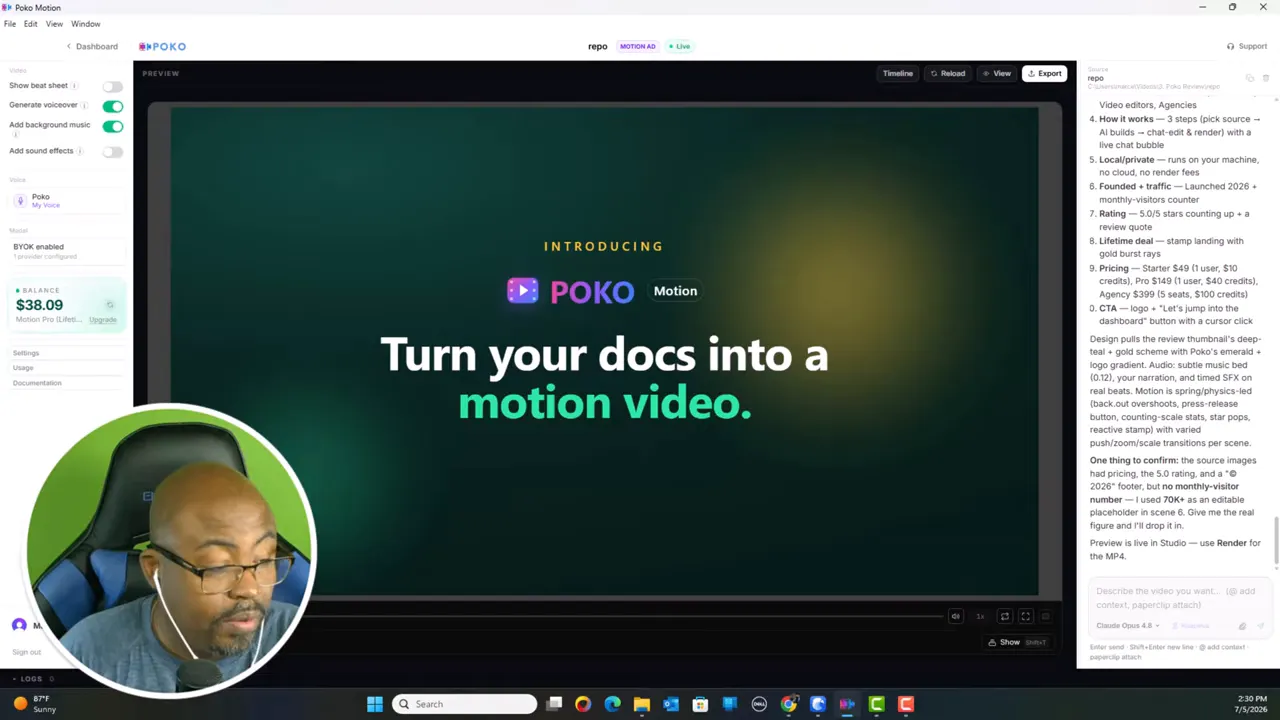
Another big plus in this Poko Motion Review is the voiceover flexibility. You are not limited to one generic voice setting. Poko Motion supports multiple voice options and even lets you clone your own voice.
That matters a lot if you care about brand consistency. I like being able to keep the voice aligned with my own style rather than sounding like every other AI generated promo out there.
From what I worked through, the platform supports:
Poko voice options
ElevenLabs support
Additional voice providers
Custom voice cloning
The voice cloning process is especially appealing because it lowers the barrier to creating branded video content at scale. If you are already working with AI writing and automation, you might also want to explore Content Creation With A.I for the larger workflow around this.
This is where Poko Motion becomes more interesting for serious users. It allows a bring your own key setup, so I can connect my own Claude or OpenAI access instead of relying only on internal credits.
I personally like that setup because it gives me more control over how I spend and how I scale. Rather than feeling trapped inside one pricing system, I can use my own subscriptions and balance things out.
The software also offers internal credits, which can be used for things like music, sound effects, and generation. But if you are producing regularly, connecting your own key may be the smarter route.
I always want to know whether a tool is just flashy or if it is actually cost effective. Based on what I worked through, my 60 second videos were landing at around five dollars each using my setup.
That is very reasonable when I compare it to the time saved. If I can avoid scripting from scratch, designing scenes manually, sourcing music, and assembling a first pass in my editor, five dollars is not crazy at all. In fact, for the right use case, it is cheap.
Of course, costs can vary depending on how you configure the app, what voice provider you use, and whether you lean on internal credits or your own AI key.
Poko Motion also lets me add background music and sound effects. That may sound like a small thing, but it matters because a lot of AI video tools stop at visuals and voice. They leave the final product feeling unfinished.
Having those audio options inside the workflow means I can push the video closer to publishable without bouncing between too many tools.
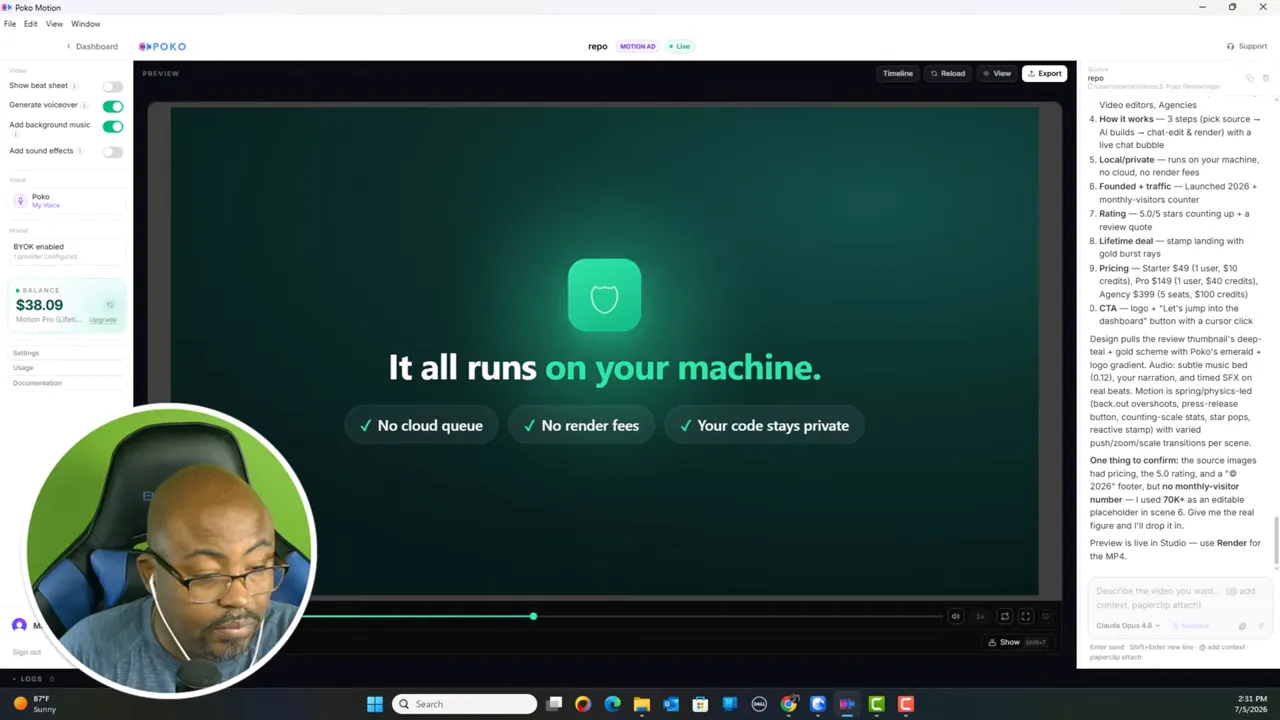
One of the biggest selling points in this Poko Motion Review is that it runs locally. No cloud queue. No waiting on shared render servers. No extra render fees stacked on top of the plan.
That creates a few real benefits:
More privacy because work stays on my machine
Faster production flow without third party rendering delays
Lower long term cost because render charges are not nibbling away at every project
|
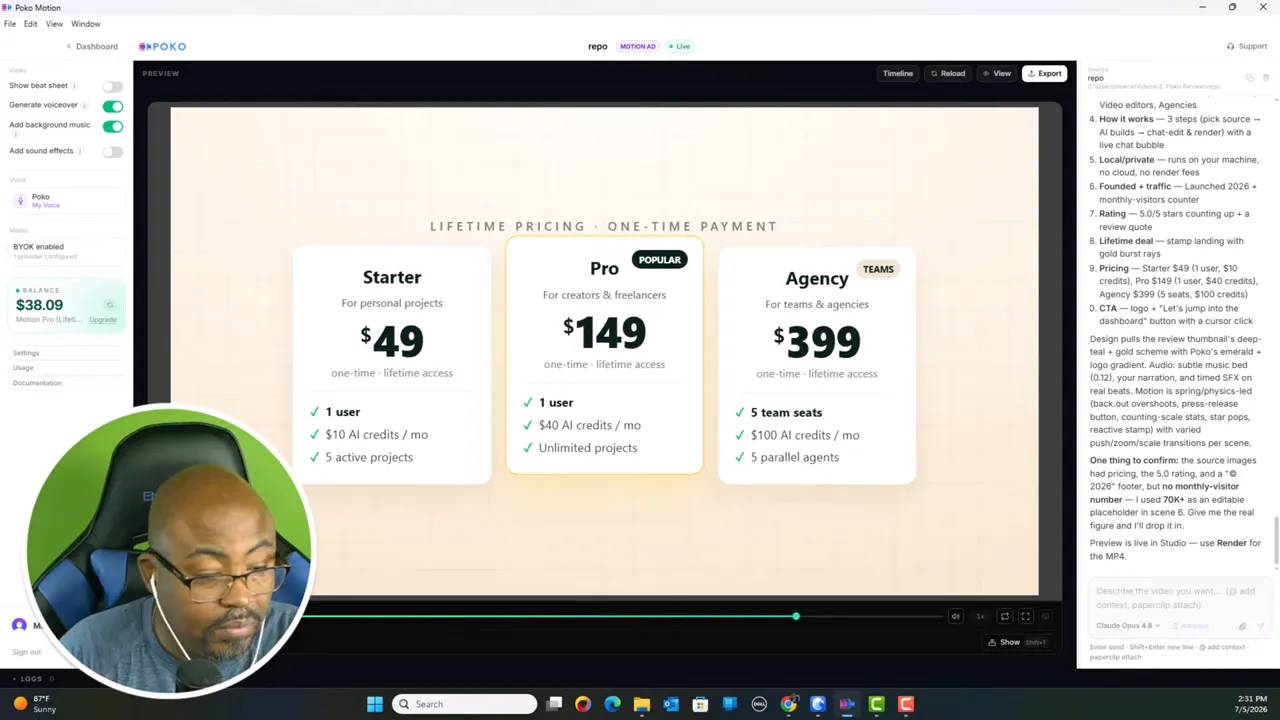
Poko Motion is being offered as a lifetime deal, which is part of why it is getting so much attention. The pricing shown breaks down like this:
Starter at $49
Pro at $149
Agency at $399
My recommendation is the Pro plan. That is the sweet spot for most creators, course builders, and marketers. It gives enough room to work seriously without jumping all the way into the agency tier.
For me, the Pro account is the one that makes the most sense, especially if there is a discount available that brings the effective price down even more.
Multiple source types make it flexible
Fast first draft video generation
Local rendering is a real advantage
Bring your own API key support helps with cost control
Voice cloning adds branding power
Useful for course promos, service videos, and educational content
You may need to experiment to get the best prompt results
Some features depend on outside voice providers or API setups
If you want total custom cinematic control, you may still finish projects in a full editor
Beginners may need a short learning curve around keys and settings
This Poko Motion Review comes down to one big question. Does the software actually help me make useful videos faster? For me, the answer is yes.
Poko Motion is not trying to replace every stage of high end editing. It is trying to remove the slow and repetitive part of building motion video drafts from existing content. In that role, it performs very well.
I especially like it for:
Course intro videos
Product and service promos
Short educational explainers
Repurposing static material into more engaging assets
If you are the kind of creator who already has pages, documents, slides, and offers sitting around, this tool can help you squeeze more value out of what you have. That is why I think it is one of the more practical AI video tools I have looked at in this category.
Is Poko Motion good for course creators?
Yes. I think it is especially useful for course creators because it can turn offer pages, slide decks, and documents into promo videos and lesson support content quickly.
Can Poko Motion turn a website into a video?
Yes. The URL to video feature is designed for that. I used that kind of workflow to create a promotional style video from a course page.
Does Poko Motion use cloud rendering?
No. One of its standout features is local rendering, which means no cloud queue and no separate render fees.
Can I use my own AI API key with Poko Motion?
Yes. It supports bring your own key, including Claude and OpenAI style setups, which gives more flexibility over usage and cost.
Does Poko Motion support voice cloning?
Yes. You can clone your own voice, which is a big help if you want your videos to sound more consistent with your personal or brand voice.
Which Poko Motion plan do I recommend?
I recommend the Pro plan for most people. It looks like the best middle ground for creators and marketers who want to use the tool seriously without needing the full agency tier.
If I had to sum up this Poko Motion Review in one sentence, it would be this: Poko Motion is a smart shortcut for turning existing content into polished video assets without getting buried in production work.